
Grammarly
Grammarly is a popular online service to help users improve grammar and spelling when they write on a web browser. A paid upgrade called Grammarly Premium is available for users looking for more features, such as vocabulary suggestions and similarity checks.
CityUHK has acquired a limited subscription to the Grammarly Premium service. Staff and students are welcome to obtain their Grammarly user accounts.
Registration & Activation
To apply for a Grammarly account, please follow the steps below:
1. Go to the Service Portal
2. Input your CityUHK Electronic ID / Password, then click the Sign In button
3. Click on the SERVICE REQUEST block
4. In the left panel CATEGORIES, click IT Services and Resources under Service Request
5. Click on the Grammarly block
6. On Grammarly Account Request, click the Submit button
7. On Request for Grammarly, click "link" inside the paragraph to activate the Grammarly account
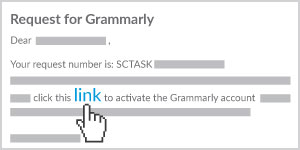
To ensure you have joined the CityUHK Grammarly service, log in My Apps Dashboard and then click on the Grammarly icon.
Once the registration and activation have been completed and successful, you can login to Grammarly with your CityUHK account (Staff: your_EID@cityu.edu.hk; Student: your_EID-c@cityu.edu.hk), to download the apps for different platforms. For details, please check the Grammarly Account Activation and Login Guide.
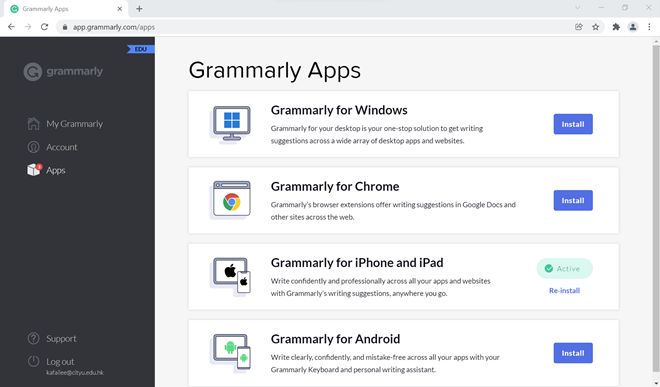
User Guides & FAQs
Support & Contact
- For help on use of Grammarly, please contact grammarly.enquiry@cityu.edu.hk
- For login or other technical problems, please contact the IT Service Desk
 CityU IT ChatBot