
News
Windows 10 follows Microsoft’s Modern Lifecycle Policy, which implies that the operating system will reach the end of its support on 14 October 2025. However, until that date, monthly security updates will continue to be released for Windows 10. It is important to note that without these security updates, the system will be vulnerable to various security risks, which could compromise the data on the computer and endanger the entire CityUHK network environment.

The Computing Services Centre (CSC) would like to introduce two new meeting rooms, LI-4304 and LI-5401. We tentatively named them as Global Meeting Rooms. These rooms are designed to facilitate globalised hybrid meetings with state-of-the-art technologies that enhance collaboration, communication, and interactions, regardless of geographical distances.
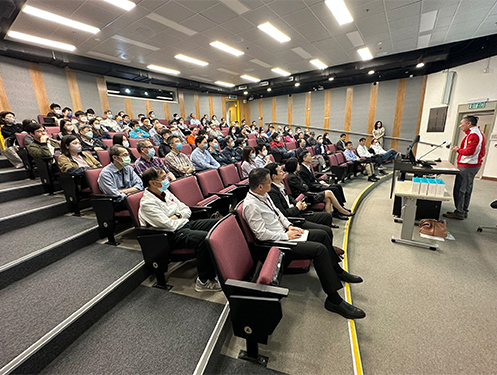
Effective communication is essential for the success of any organisation, and the Central IT, which includes the OCIO, the ESU, and the CSC, is no exception. To facilitate a dialogue between user departments and Central IT, the first Central IT Forum was conducted in June last year, and quarterly forums have been held since then. These forums allow Departmental Network Administrators (DNA) to meet with Central IT in person or virtually and receive updates on upcoming and ongoing IT initiatives, as well as share their ideas, thoughts, training needs, and concerns.
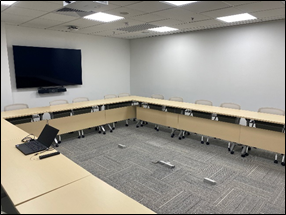
A number of meeting rooms on the 4/F and 5/F of Li Dak Sum Yip Yio Chin Academic Building (LI) have been refurbished with new furniture and an audio-visual (AV) system that supports the “new normal” operations. The refurbishment of these meeting rooms illustrates the commitment from the Computing Services Centre (CSC) to make improvements for staff in response to their needs.

Everybody is talking about ChatGPT, even if he or she is not one of the 100 million users who can talk (via typing) to the chatbot directly. Instead of gathering information online, we asked ChatGPT to provide a self-introduction. Please see below.

The Computing Services Centre (CSC) is a user-focused support centre devoted to helping users in different service areas. Providing better support to users is the top mission of our centre. Besides supporting through phone and on-site visits, Remote Support software gives our support staff the ability to provide instant and remote support to users’ devices. With users’ approval, the support staff can take control of the device for a short period of time to perform maintenance/supporting tasks such as installing updates, troubleshooting issues, and even providing on-demand support.
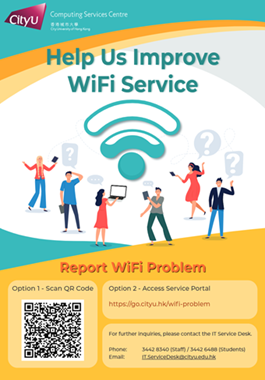
Wi-Fi is one of the most common technologies that provide users with a convenient way to connect their mobile devices to the campus network/Internet. Over 3,200 Wi-Fi access points (APs) are currently installed across the CityU campus. As a step forward for the University to offer Wi-Fi services
-to-improve-teaching-and-learning-experience/li-3610-1.jpg?rev=52f07fc56c13463e9b82880c8987436b&hash=9756BB11C9266DF588E79C8514575230)
With the continuous effort to meet the increasing demand for computer laboratories, a general-purpose lecture theatre, LI-3610, was converted this summer into a Computer Theatre which can accommodate a maximum of 82 students, a computer laboratory of its kind. Together with the existing 6 CSC Teaching Studios, this new Computer Theatre is now under the management of the Computing Service Centre (CSC). What makes it distinctive from the other Teaching Studios is that it is the first computer laboratory in the University with a tier-type design and the first one deployed with all-in-one (AIO) computers.

What is ransomware? [1][2]Ransomware is a form of malicious software (malware) designed to encrypt files on a device, rendering any files and the systems that rely on them unusable. By encrypting these files and demanding a ransom payment for the decryption key, cybercriminals place individuals or organisations in a position where paying the ransom is the easiest and cheapest way to regain access to their files.
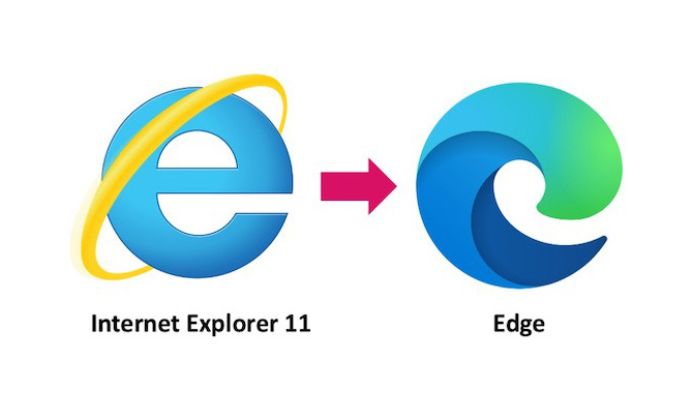
As of 2013, Internet Explorer 11 (IE) was once the default browser in CityU. But it was replaced by Google Chrome a few years later, and Chrome has become the default browser used in CityU ever since. Despite this, some users and applications still rely on IE. However, Microsoft officially announced the retirement of IE 11 on 15 June 2022, implying that this legacy web browser is no longer supported and security updates will no longer take place. In the coming months, Microsoft will progressively redirect IE to Microsoft Edge and permanently disable it via a future Windows Update.
 CityU IT ChatBot