Currently, the Computing Services Centre (CSC) has established an on-premises Virtual Desktop Service to enhance the teaching and learning experience for educators and students. To accommodate a significant increase in student enrolment, the CSC plans to expand the existing infrastructure by integrating cloud computing solutions.
A pool of 50 Windows 11 virtual desktops has been created for educational purposes, preinstalled with software applications such as SAS, SPSS, and MATLAB. This initiative aims to deliver improved performance and provide a new teaching and learning experience for the academic community.
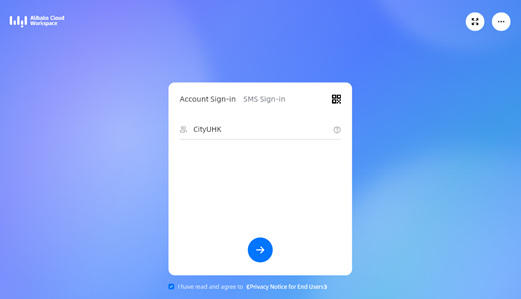
Enter Organization ID
Type CityUHK as the Organization ID and press Enter.
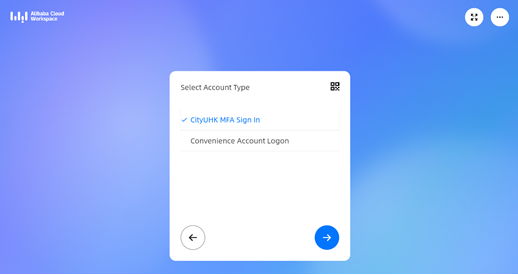
Select Account Type
Choose CityUHK MFA Sign In and press Enter.
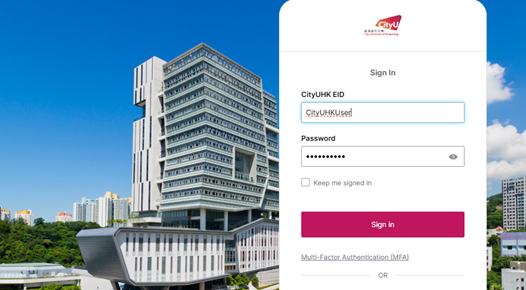
Log In
Sign in using your CityUHK EID and password.
Start Your Session
Click on Windows 11 to begin your cloud desktop session.
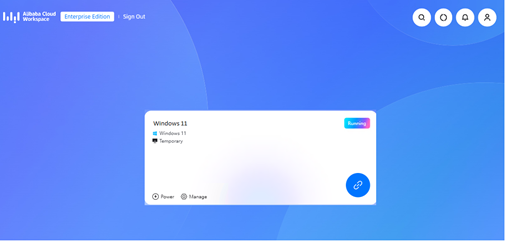
Each VDS session is four hours maximum, and will be automatically closed after four hours and initialized. A reminder will be shown 15 minutes before a session ends, and the user should stay alert to this message and must save his/her work before the session is closed; otherwise, any unsaved work will be lost when the session ends and is immediately initialized for use by another user. The CSC will not be responsible for any data loss.
IT.ServiceDesk@cityu.edu.hk