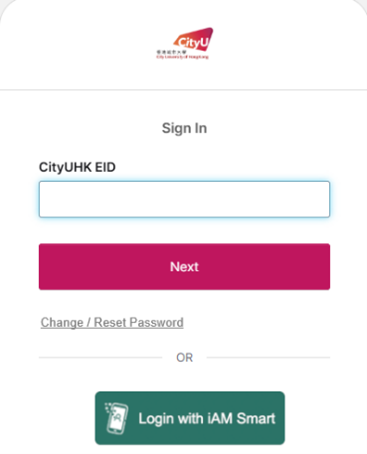
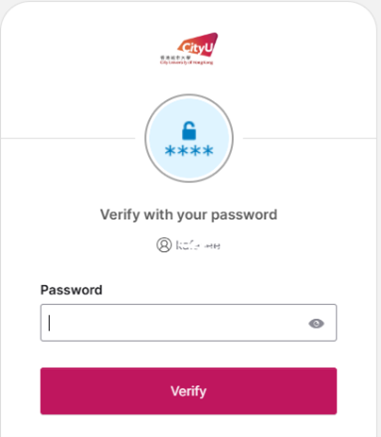
Input your EID and password
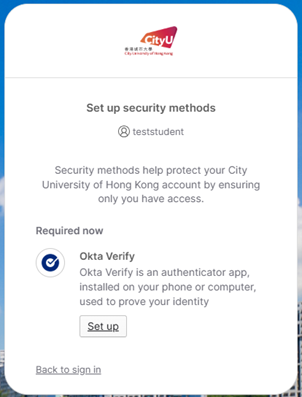
"Set up security methods" page will be prompted, click the "Set up" button below Okta Verify.
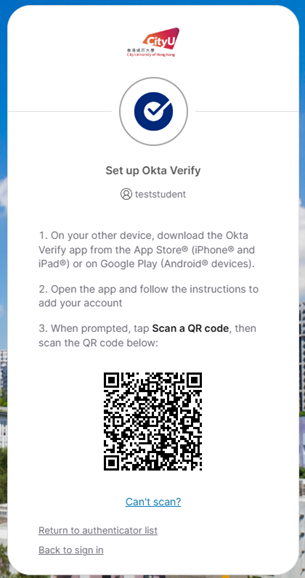
You will see a QR code page like this. Open the Okta Verify app on your phone.
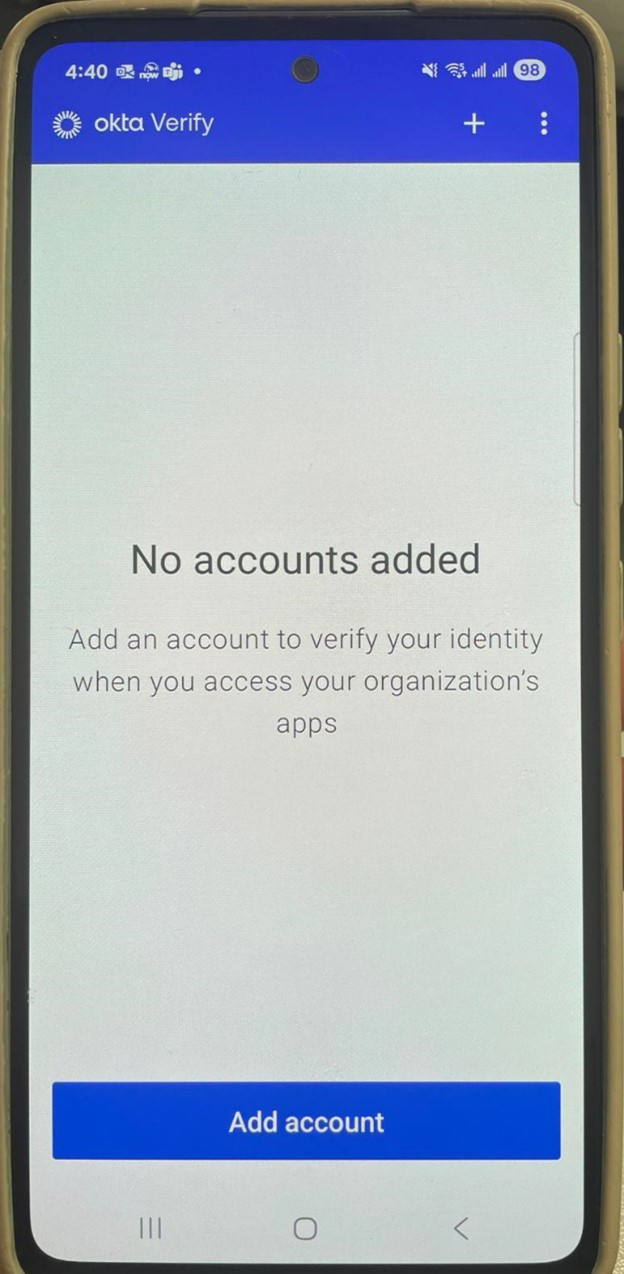
Tap "Add account".
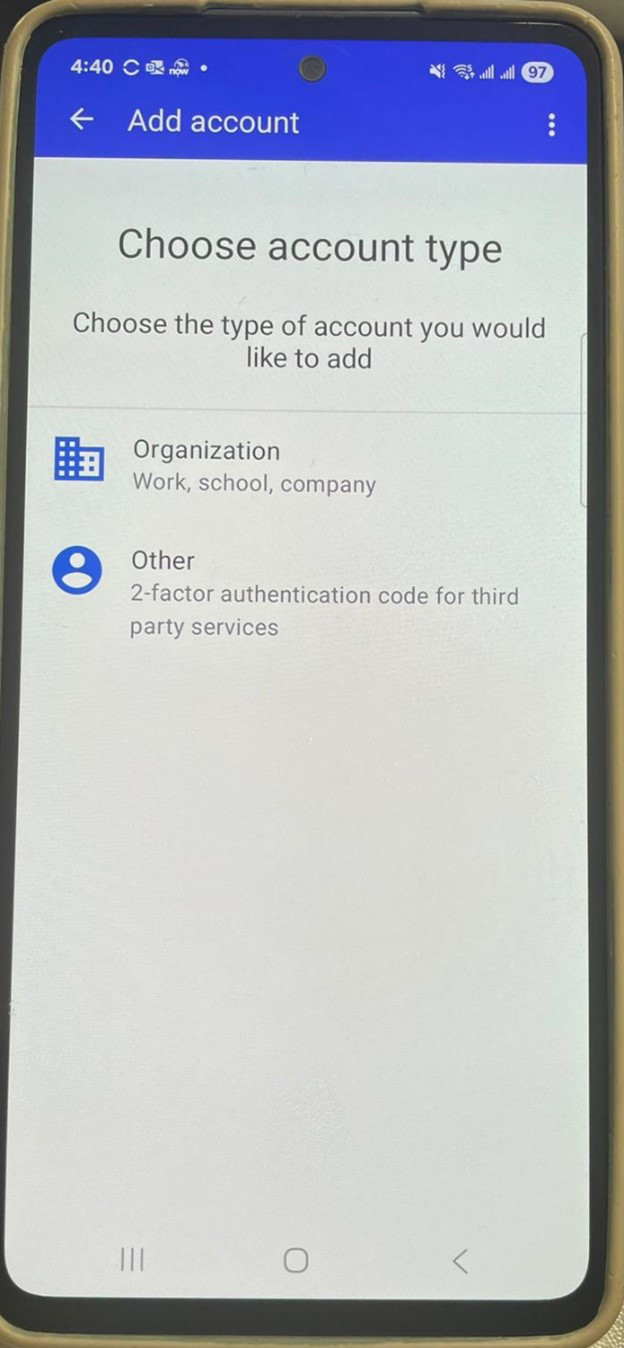
Tap "Organization".
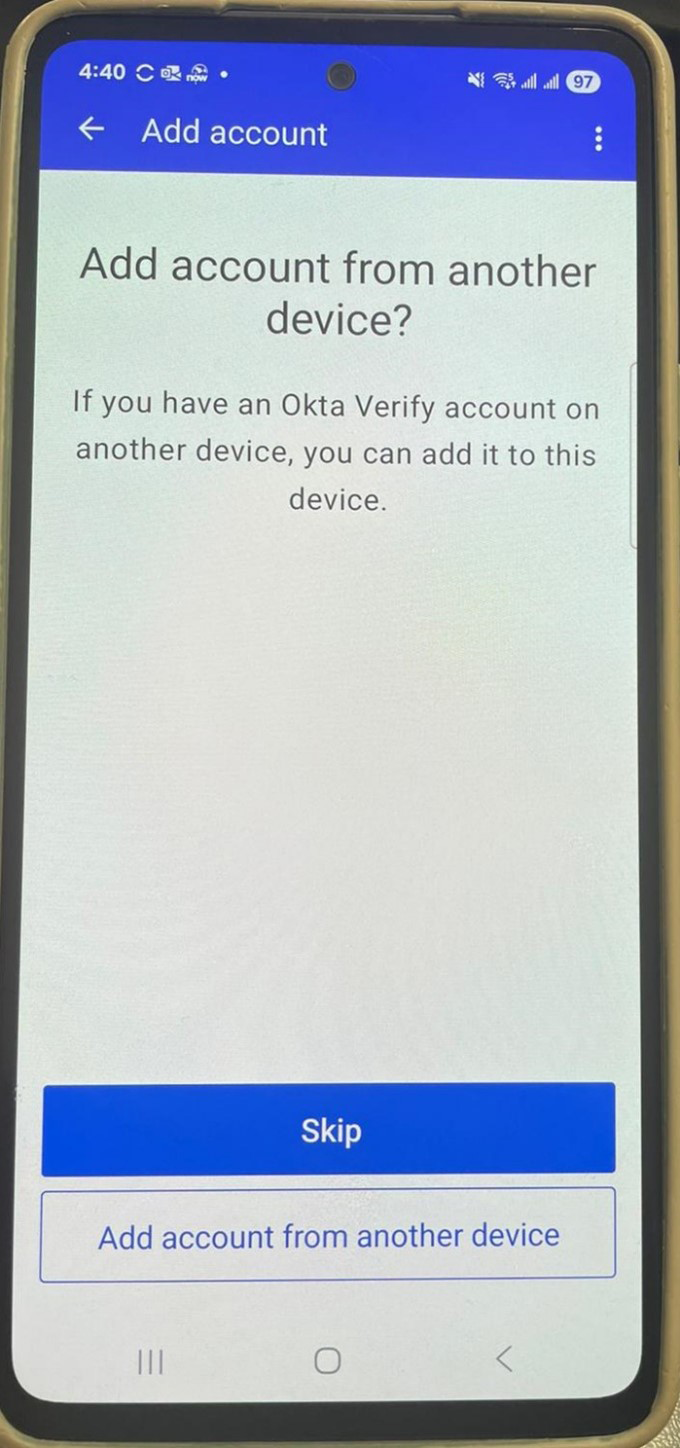
Tap "Skip".
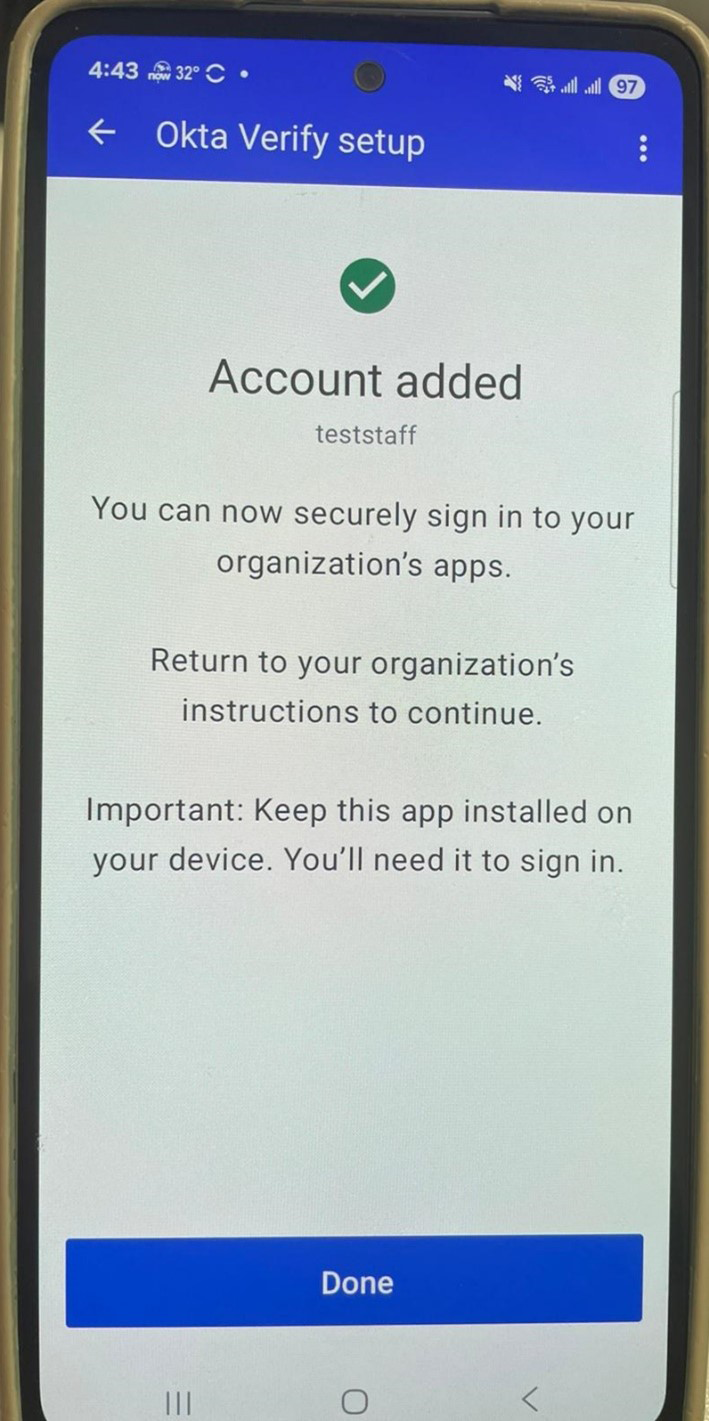
If it is successful, tap "Done".
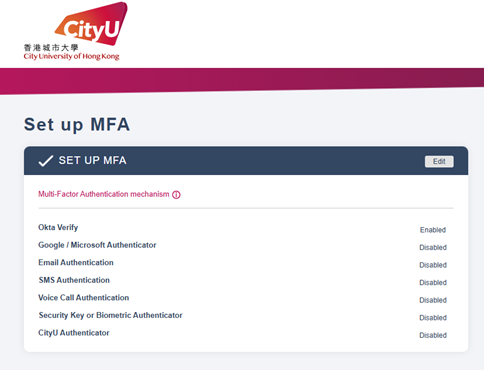
Finally, you will see "Okta Verify" has been enabled on this page.
IT.ServiceDesk@cityu.edu.hk