Sending and Viewing Confidential Emails with Microsoft Outlook 2016 for Mac
(A) How to send a confidential email?
(B) How to view a confidential email?
(C) How to reply a confidential email?
(A) How to send a confidential email?
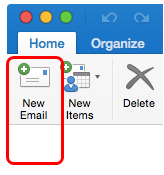
Click "New Email".
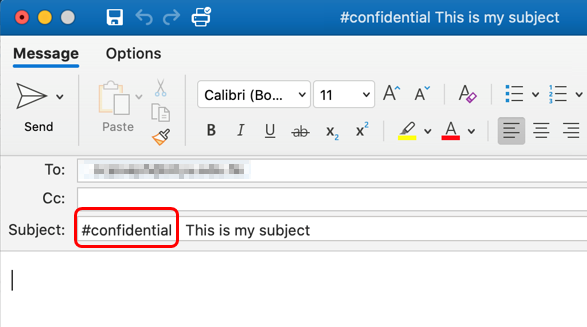
In the Subject field, add one of the following (hashtag) keywords at the beginning of the subject line:
- #cityuonly
- #staffonly
- #confidential
- #restricted
- #highlyconfidential
The corresponding Sensitivity Label will be applied automatically.
(B) How to view a confidential email?
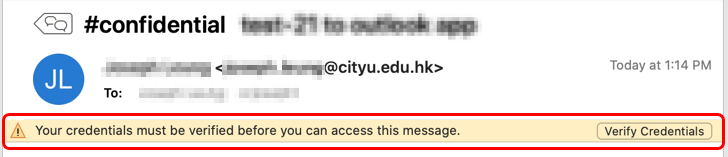
- Open the confidential email.
- If you are not already signed in with your EID@um.cityu.edu.hk account, click Verify Credentials and sign in to view the email content.
(C) How to reply a confidential email?
- Reply to the email as you would to a normal email.
- If the subject line starts with a keyword such as #cityuonly, #staffonly, or #confidential, do not remove it. This ensures that the appropriate sensitivity label is retained.
IT.ServiceDesk@cityu.edu.hk