The University has subscribed to Sophos Endpoint Protection to provide better protection/security in your working environment (Sophos Intercept X Endpoint) and also for your personal devices (Sophos Home).
Sophos Endpoint Protection provides a host of protections, combining artificial intelligence (AI/ Machine Learning), signature-based, and behaviour-based (signature-less) detections. Signature-based detection allows Sophos Endpoint Protection to easily find and stop known malware. Behaviour-based detection — combined with AI — adds the ability to discover and remove brand new, never-before-seen, "zero-day" malware. Sophos also monitors your programs and apps, stopping those that act maliciously, and allowing the user to remove them. In addition, Sophos utilizes a global database to prevent users from visiting phishing sites while scanning website code to protect against compromised sites and downloads infected by hackers.
Two types of licenses are available for members of the CityU community:
The above Sophos Endpoint Protection licenses are not applicable for use on Windows Server/Linux.
Registration
Navigate to https://home.sophos.com/employee & log in with your CityU email account to redeem your free license.
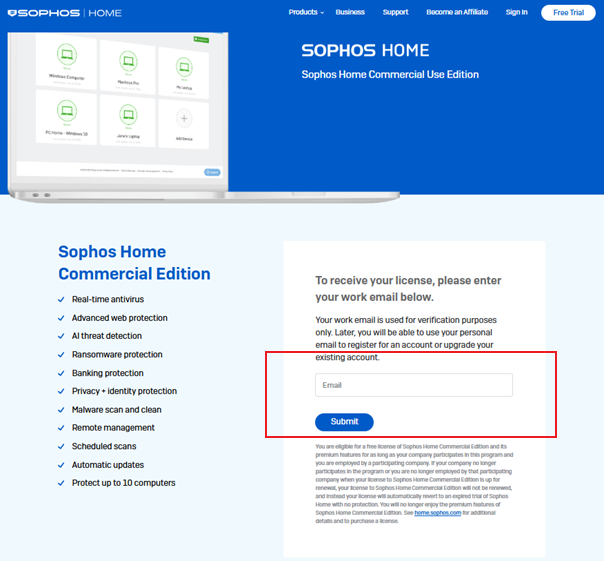
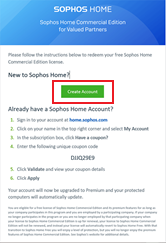
You will then receive an email message as shown in the screenshot below. Click "Create Account" to create a Sophos Home account.
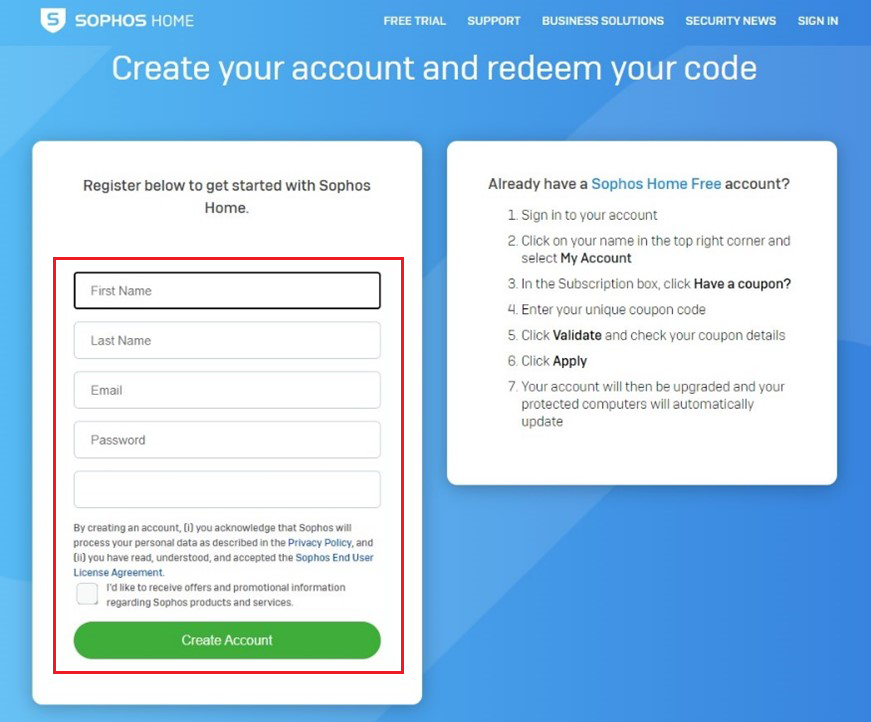
Enter your personal information (Name, CityUHK email account & Password), and click "Create Account".
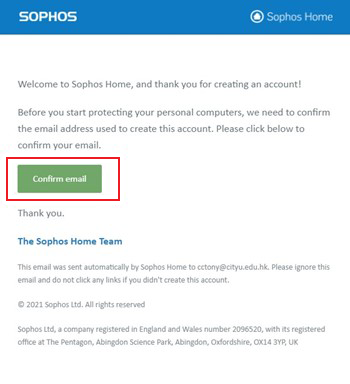
You will then receive an email, as shown in the screenshot below. Click "Create Account" to create a Sophos Home account.
Installation
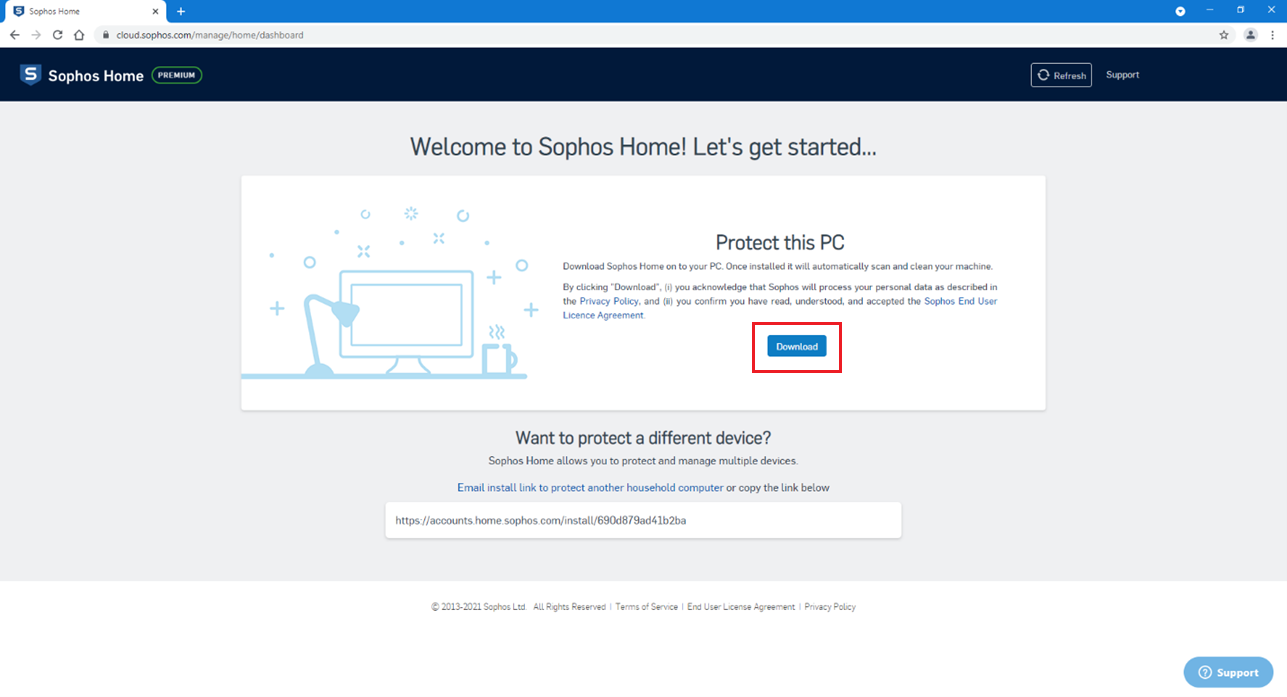
Log in to your Sophos Home account, and the following web page will appear. Download the installer to your computer and install Sophos Home.
Management
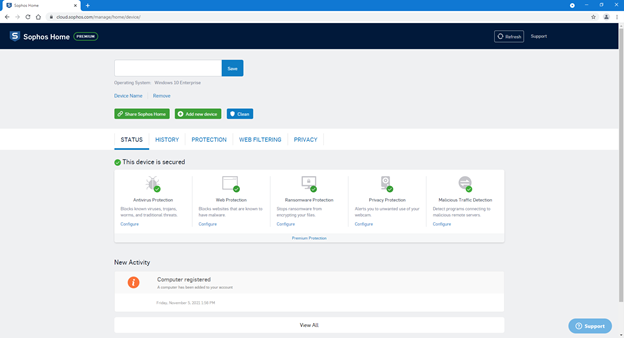
Log into your Sophos Home account and you will be taken to a page similar to the below screenshot where you can manage your devices.
IT.ServiceDesk@cityu.edu.hk