

CityUHK Portal
The CityUHK Portal is a one-stop platform for staff and students to access frequently used functions and to obtain up-to-date information.
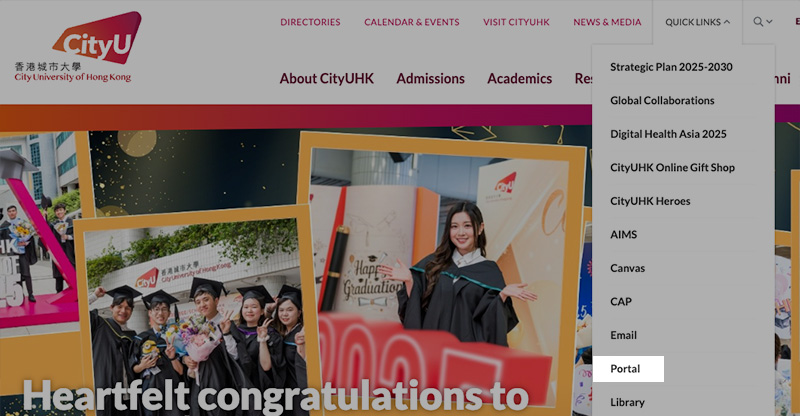
The Portal can be accessed from the "Quick Links" menu at the top of the University home page. Students will need to log on the Portal with EID and password to view personalized information, search for library resources, book a sport venue or perform many other functions.
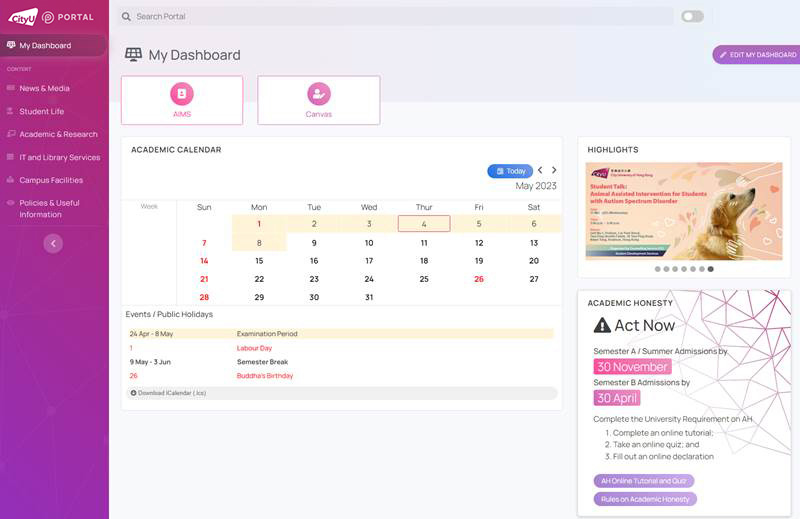
The default "My Dashboard" looks like the following will be created for you. You may customize it according to your needs. Please refer to The New CityUHK Portal webpage for detailed information.
CityUHK Announcement Portal (CAP)
“CAP” is the CityUHK Announcement Portal that you must check EVERYDAY for announcements from the University, your College and your Department. Daily announcement digest (summary) will also be emailed to you.
CAP can be accessed from the "Quick Links" menu at the top of the University home page. You will need to log on the CAP with your EID and password.
For mobile access, try using the “CityUHK Mobile” app which you can download from the iOS and the Android app stores.

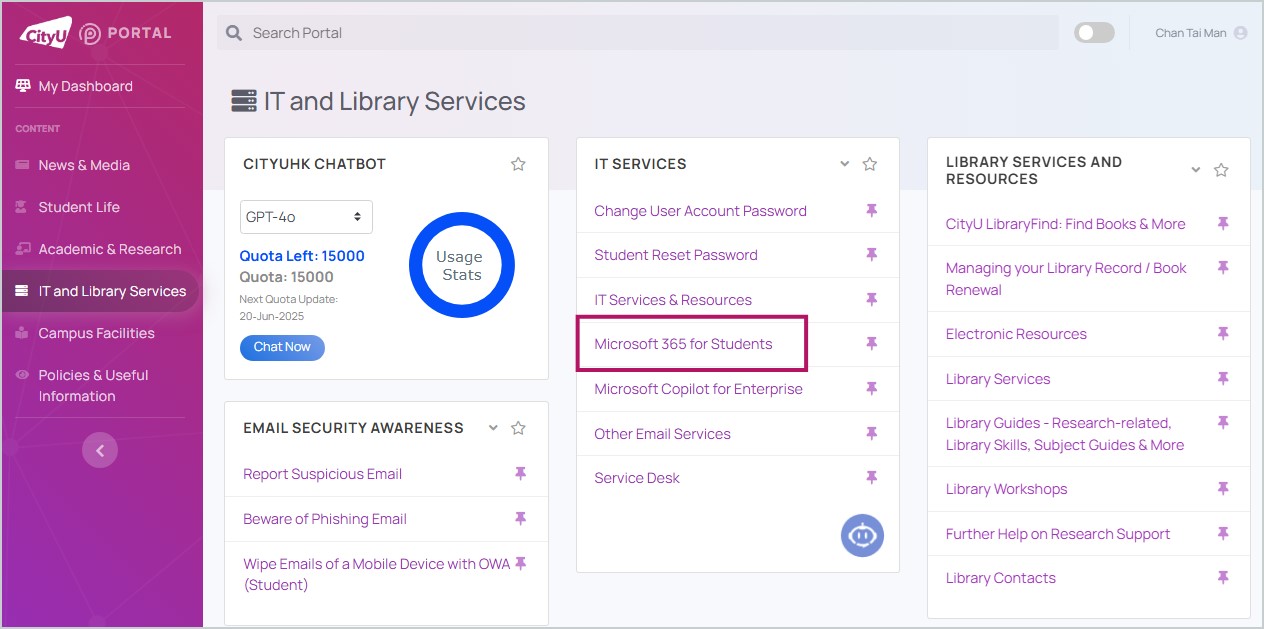
The links to your CityUHK email and related services are available in the CityUHK Portal under "IT and Library Services".
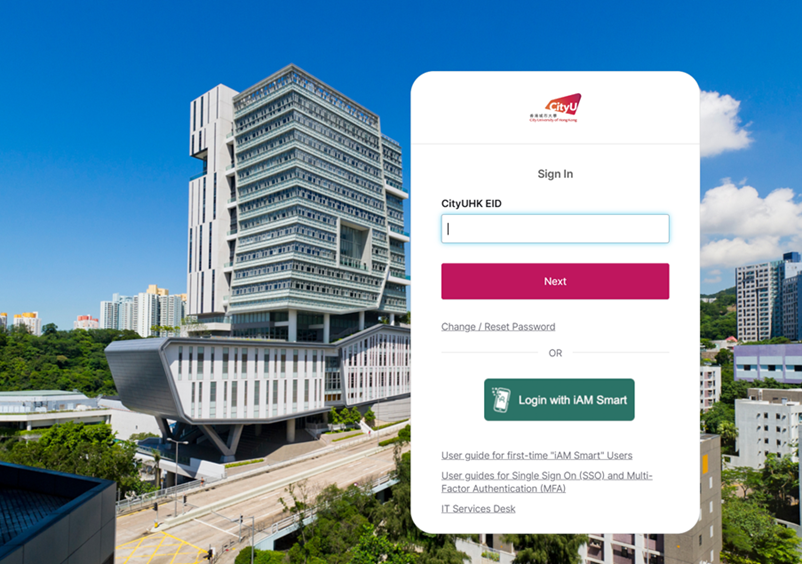
This is the CityUHK Microsoft 365 login page.
"Account Management” contains tools that help you manage your email account, e.g. email forwarding - forward the emails sent to your university email account to your other personal email account. Please note that your university email account is the official means of communication between you and the university. If you need to email the university, you must do so with your university email account (EID-c@my.cityu.edu.hk).

AIMS
AIMS stands for Administrative Information Management System at CityUHK. It is a suite of university information systems allowing students access to a variety of essential academic support services.
Please refer to the following presentation for further information:
Canvas (Digital Learning Platform)
Canvas acts as the unified learning management system at CityUHK. The following are steps to access Canvas courses.
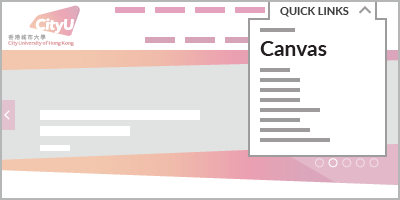
Step 1 - Click on "Quick Links" at the top of CityUHK Homepage, click "Canvas" on the popup menu
Step 2 - Input your Electronic ID and password, then click "Sign in"
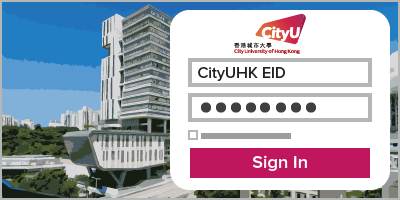
Note: On the next screen, select your preferred Multi-Factor Authentication (MFA) method to verify your identity.
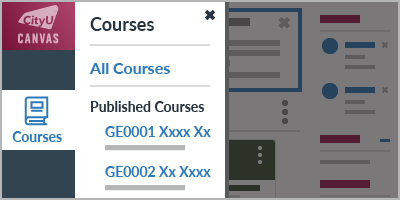
Step 3 - Click the "Courses" icon on the left menu; available Canvas course(s) would be shown under "Published Courses"
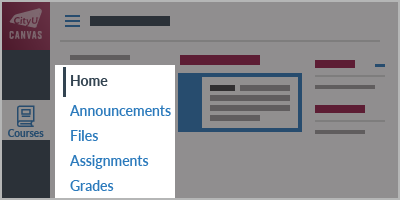
Step 4 - Click the specific course title to enter, then navigate inside the course using the menu on the left
More information about Canvas can be found at the links below.
- Get Started with Canvas in 3 Minutes (YouTube video)
- Canvas Student Guide (Canvas official guide)
- Canvas FAQ for Students
- Zoom User Guide
(Updated on 12 May 2026)
Students who need technical support: 3442 6488