


Pre check-in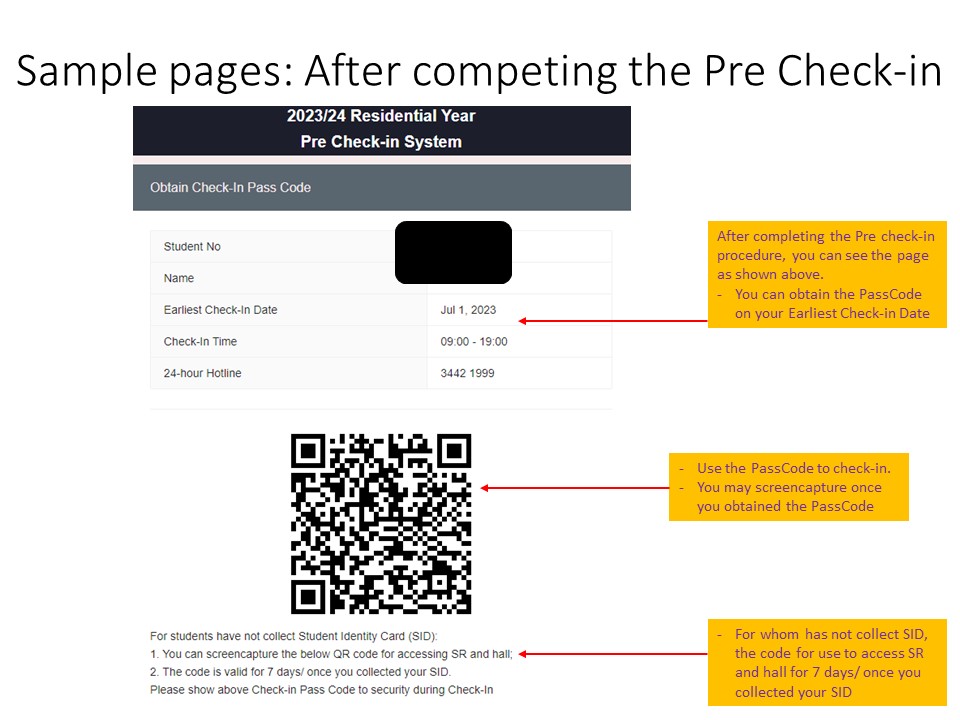
|
|
How-To Connect to the Internet |
|
|
If you have EID activated, pleae find the below instructions for connecting to the "CityU_Hall_WLAN" SSID. |
|
|
For NEW student, please connect to the "Wi-Fi.HK_via_CityU" temporary and using the "CityU_Hall_WLAN" once your EID is activated. |
|
Using the Payment Kiosk for Air-Conditioner and Laundry |
|
|
The payment kiosk is located in the Laundry Room and the Hall Lobby. You can refer to this manual for using the payment kiosk. CAUTION:
|
|
Key House Rules you must know |
|
Rules must know |
|
Join Hands to keep your hall and room clean |
|
Be mindful when visiting residents in opposite gender |
|
Smart Tips |
|

|

|

|

|