
Sharing Teacher’s Computer Screen in CSC Teaching Studios
Why Do We Need Sharing the Teacher’s Screen?
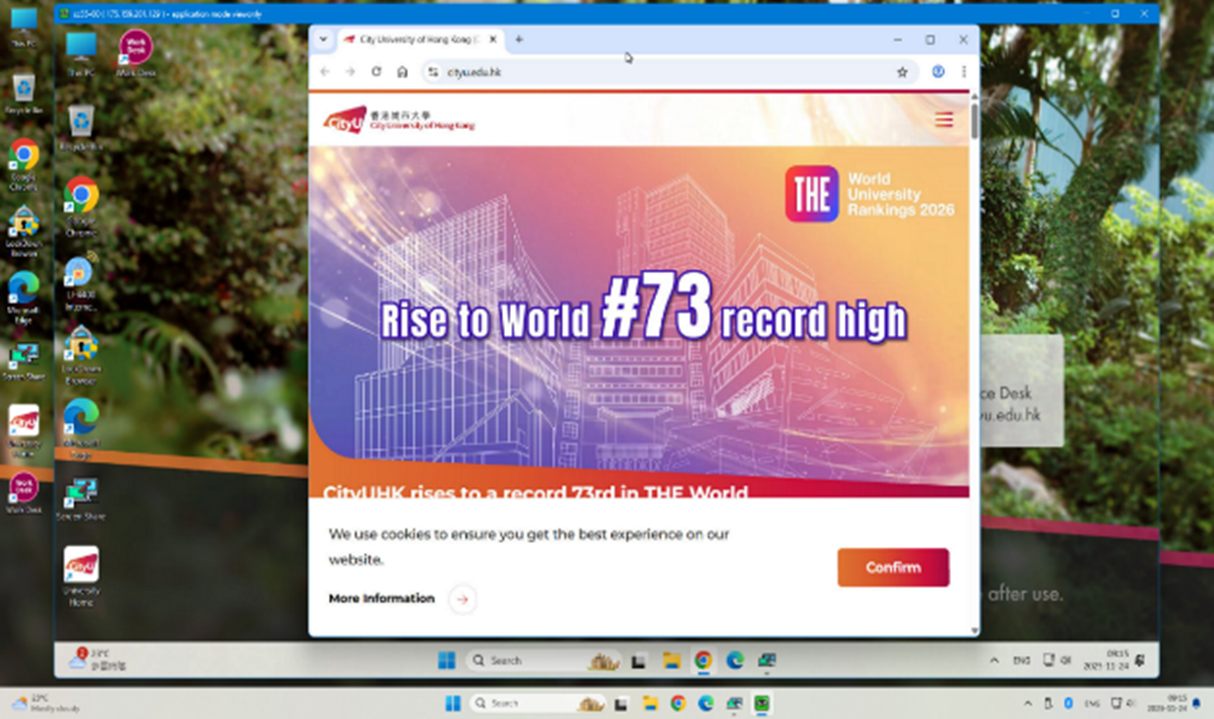
By streaming the teacher’s screen directly to each student’s workstation, every learner—no matter where they sit—can view the content clearly and in full. This seamless screen sharing not only boosts teaching efficiency but also strengthens student engagement by ensuring that all students receive the same visual information simultaneously.
Available Now in All CSC Teaching Studios
Whenever needed, teachers can share the lectern PC’s screen directly with each student’s desktop in the teaching studio. Both teachers and students can launch the app from their desktops. Once the teacher initiates screen sharing, students can view the shared screen.

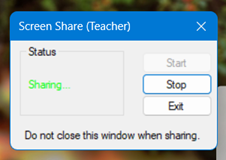
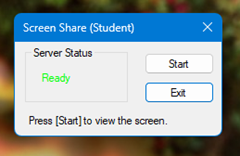
Screen Share at Teacher Side Screen Share at Student Side
Key Learning Benefits
- Enhances Classroom Interactivity and Engagement
Screen sharing supports a more dynamic and responsive learning environment by allowing teachers to display content directly and consistently to all students. This promotes active participation and improves communication between teachers and learners. Students can stay focused and engaged with the material without looking away from their workspace.
- Provides Clear and Equal Access to Learning Experiences
Built on a streamlined local network architecture, the service delivers high-speed performance with minimal latency, allowing students to experience the instructor’s workflow in real time. When the teacher’s screen is shared, every student—regardless of seating position—receives the same clear view of teaching materials, demonstrations, and instructions. This ensures fair access to information and supports better understanding.
- Seamless "Plug-and-Play" Access
No setup, login, or software installation is required. As soon as the teacher starts a session, the display is instantly streamed to every student’s terminal.
Support & Enquiries
For those who are interested in using the Screen Sharing service and would like to know more, please contact the IT Service Desk at 3442 8340 or email to IT.ServiceDesk@cityu.edu.hk.
 CityU IT ChatBot